Your menu, in every pocket
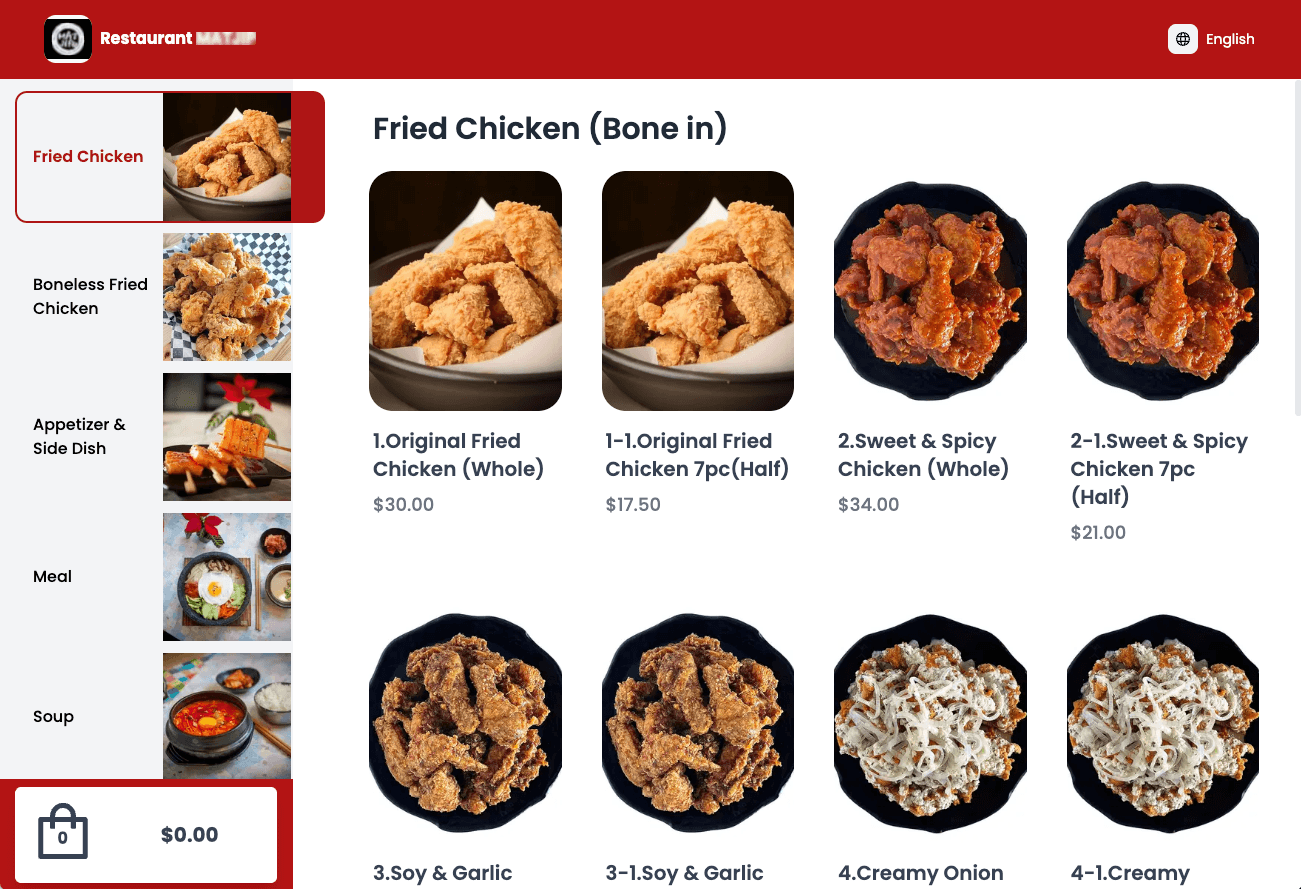
Your own ordering page with your logo and colors, plus a QR code for your counter — no apps to install, no middleman between you and your customers.
Order #142
You'll get an email when it's ready
Charged only after the restaurant accepts
Your logo and colors, from menu to inbox
A page just for your store — your menu, your food photos, and no other restaurants competing for the order.
- Your logo, store name and colors on the menu and in every order email
- One link to share on your website and social media
- Search results and shared links show your store name and logo
One QR code for your counter
Print it once — customers scan, order, and pay from their phone.
- No app to install; the same menu, in your colors, opens in the browser
- Process orders instantly or on staff confirmation
- Want ordering right at the table? Add Table Ordering tablets for your dining room
Scan to order & pay
Built-in and included
Everything a modern ordering page should do.
Real-time inventory
Sold-out items are marked, and customers can't order more than you have left.
Per-channel pricing
Online prices can differ from your in-store menu.
Order notes
Special requests print right on the kitchen ticket.
Secure card payments
Powered by Stripe, with an extra check from the customer's bank on every card payment.
Instant payouts
Push funds to your debit card when you need them.
Pay at store
Optionally let pickup customers pay in person.
One system for your whole restaurant
Your menu, staff and orders are the same on every Foodteria product — change something once and it's updated everywhere.
Online ordering questions
Yes — checkout is guest-only by design: name, email, and phone number. Their details are remembered on their device if they come back.
New orders appear on your POS to accept or decline. Once accepted, tickets print on your kitchen printers as usual, and the customer gets a status email automatically.
Yes — pause until a set time, take a break, or let your configured hours (including split shifts) control availability automatically. Customers always see accurate status.
Your first month is $1.
See everything Foodteria can run in your restaurant — no contract, cancel anytime.